Bookings & commission
Book the unit. Commission works itself out.
When an agent marks a lead as Won, they pick the unit the buyer is taking. Proptek books it, takes it off the available list, gives you a booking receipt and works out the agent's commission.
What you get
Bookings & commission, made simple
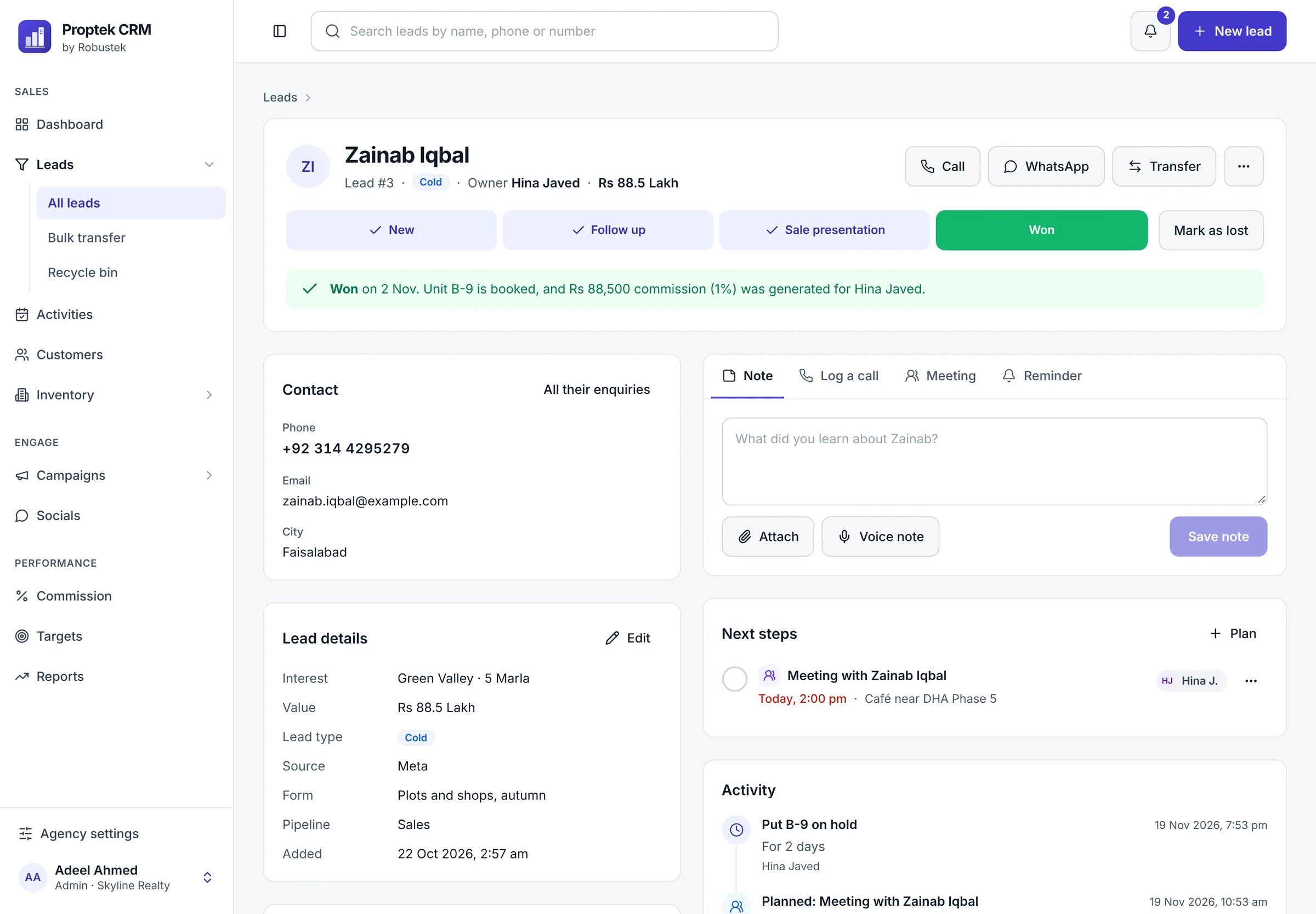
Won means booked
Winning a lead books its unit, so your inventory is right the moment a sale happens.
Booking receipt
Download a booking receipt as a PDF to print or send to the buyer.
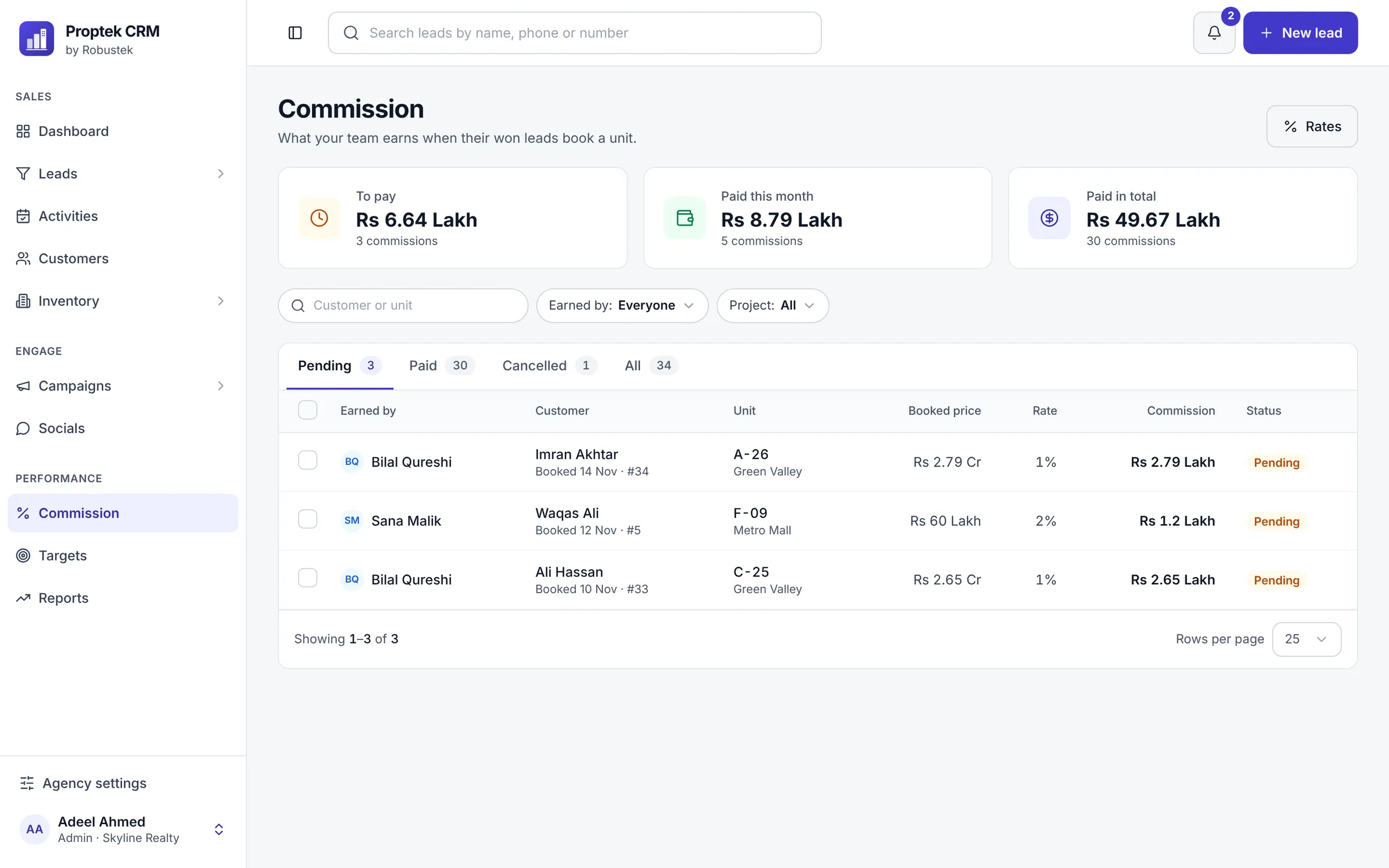
Commission per project
Set a commission rate for each project, or one rate for the whole agency.
Pending or paid
See what each agent has earned, mark commission as paid, and keep a record of every payout.
Cancelled bookings handled
If a booking is cancelled, the unit goes back on sale and its commission is cancelled too.
Switch it off
Don't pay your agents commission? Turn the commission section off in settings.
The sale, written down
The lead shows when it was won, which unit was booked, and the commission it earned.
Common questions
Bookings & commission
Something else on your mind? Ask us on WhatsApp.
Who earns the commission?
The agent who owns the lead when it's won. Commission is worked out from the booked price and the project's rate.
Can agents see other agents' commission?
No. Agents see only their own. Admins and sales managers see everyone's and mark it paid.
Can we undo a payment marked by mistake?
Yes. Admins and sales managers can mark a commission as unpaid again.
See Proptek with your own projects
Book a free 30-minute demo. We'll show you how leads, follow-ups and bookings work for an agency like yours, then set up your 14-day free trial.
14-day free trial · We set it up with you · No card needed